

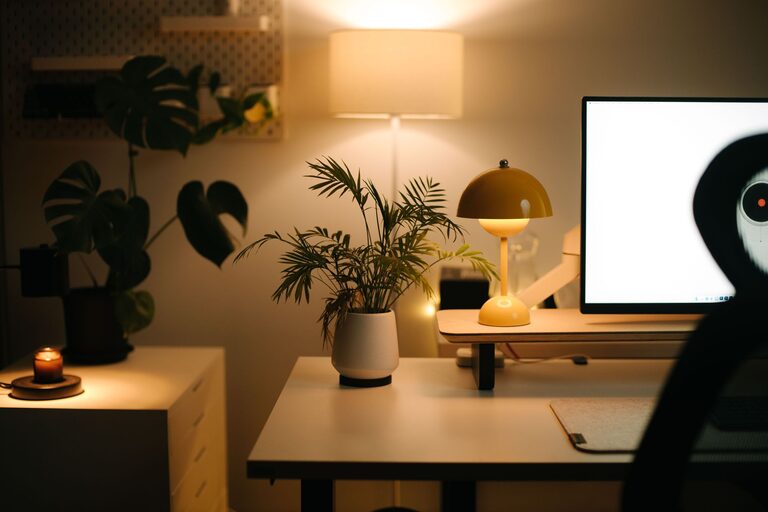
Creating a relaxing home workspace is essential for maintaining productivity and comfort while working remotely or managing tasks at home. A well-designed workspace encourages focus, reduces stress, and makes your workday more enjoyable. Whether you’re new to working from home or looking to improve your current setup, these tips will help you create a peaceful environment tailored to your needs.
Choose the Right Location
Selecting the best spot for your home workspace is the foundation for a relaxing and productive area.
– Find a quiet area: Look for a space with minimal distractions, away from household noise and high-traffic zones.
– Natural light: Position your workspace near a window if possible. Natural light can improve mood and reduce eye strain.
– Separate work and leisure: If space allows, choose a room or corner dedicated solely to work to help mentally separate work time from relaxation time.
Invest in Comfortable Furniture
Comfort plays a crucial role in maintaining focus throughout the day.
– Ergonomic chair: Choose a chair that supports good posture, with adjustable height and lumbar support.
– Desk height: Ensure your desk height allows you to keep your wrists straight and elbows at about a 90-degree angle.
– Footrest: If your feet don’t rest flat on the floor, use a footrest to avoid pressure on your legs.
Optimize Lighting
Good lighting reduces eye strain and creates a warm, inviting atmosphere.
– Layer your lighting: Combine natural light with overhead fixtures and task lighting.
– Adjust brightness: Use adjustable lamps so you can control the intensity depending on the time of day.
– Avoid glare: Position screens and lights to minimize glare on your computer.
Declutter and Organize
A tidy workspace helps clear your mind and improve efficiency.
– Minimalism: Keep only essential items on your desk to avoid distractions.
– Storage solutions: Use shelves, drawers, or organizers to store supplies neatly.
– Cable management: Use clips, ties, or channels to keep cords under control and out of sight.
Personalize Your Space
Adding personal touches can make your workspace feel more inviting and motivating.
– Plants: Small indoor plants can improve air quality and add a calming touch.
– Artwork or photos: Display images that inspire or relax you.
– Comfort items: Use cushions, blankets, or a small diffuser with your favorite scent to enhance comfort.
Incorporate Movement and Breaks
Moving regularly is important to stay comfortable and productive.
– Stand or stretch: Consider a sit-stand desk or take short breaks to stand and stretch.
– Scheduled breaks: Use timers to remind yourself to take short breaks every hour.
– Mini-exercises: Simple stretches or walking in place can boost energy and reduce stiffness.
Set Boundaries and Routine
Clear boundaries help you separate work time from personal time.
– Define work hours: Set realistic start and finish times and communicate them if needed.
– Use signals: A closed door or a desk lamp can signal to family members when you’re working.
– Routine: Build a consistent work routine to ease into the workday and wind down afterward.
Use Technology Wisely
Technology can either help or distract, so use it thoughtfully.
– Noise-canceling headphones: These can block out background noise and improve focus.
– Productivity apps: Use tools for time management, task lists, or focus timers.
– Limit distractions: Turn off non-essential notifications during work periods.
—
Creating a relaxing home workspace is about finding a balance between function and comfort. Small changes can have a big impact on how you feel throughout the day and how much you accomplish. Start with one or two tips from this list and gradually build a workspace that fits your unique needs and preferences. With a little effort, your home office can become a place you look forward to working in every day.