

Creating a home office that blends comfort with productivity can significantly improve your work-from-home experience. Whether you’re a remote worker, freelancer, or simply need a dedicated space for managing tasks, setting up a cozy and efficient office is essential. Here are some helpful tips to transform your space into an inspiring, comfortable, and productive environment.
Choose the Right Location
Selecting the ideal spot for your home office is the first step. Look for a quiet area with minimal distractions and enough room for your equipment and storage. Natural light is a big plus, so if possible, position your desk near a window.
Consider these factors:
– Privacy: Avoid high-traffic areas where noise and interruptions are frequent.
– Lighting: Natural light helps reduce eye strain and enhances mood.
– Space: Ensure there’s enough room for your desk, chair, and any storage you need.
– Accessibility: Keep your office close to essentials like power outlets and Wi-Fi.
Invest in Comfortable Furniture
Comfort directly affects your productivity, especially when you spend long hours working. A good chair with lumbar support and an adjustable desk are worthy investments.
Furniture essentials include:
– Ergonomic chair: Supports posture and helps prevent back pain.
– Functional desk: Choose a size that fits your work style; standing desks are an option.
– Storage units: Shelves or filing cabinets help keep things organized.
Optimize Lighting
Good lighting reduces eye strain and keeps you alert. Natural light is best, but layering your lighting with ambient and task lights creates a balanced setup.
Tips for lighting:
– Use sheer curtains to diffuse sunlight.
– Add a desk lamp with adjustable brightness for focused tasks.
– Avoid harsh overhead lighting that causes glare.
Personalize Your Space
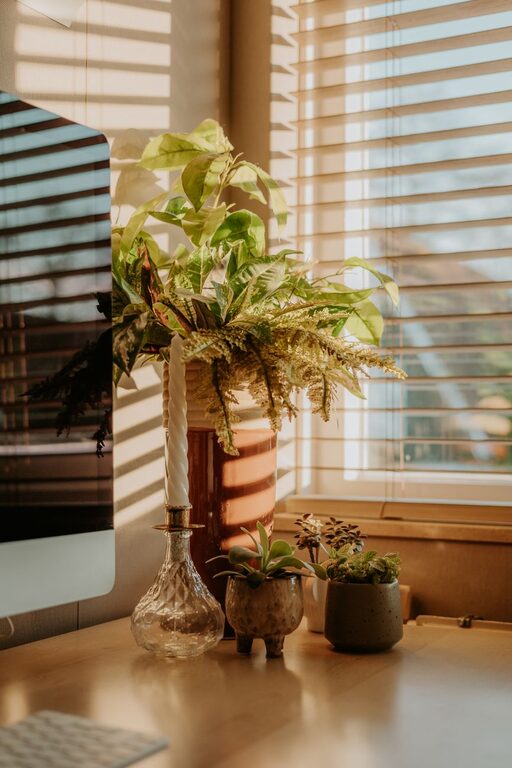
Adding personal touches makes your office feel welcoming and inspiring. This could be artwork, plants, or decorative items that reflect your style without cluttering the space.
Ideas include:
– Indoor plants: Improve air quality and add a calming effect.
– Artwork or photos: Choose pieces that motivate or make you smile.
– Color accents: Use calming colors like soft blues or greens to create a relaxed atmosphere.
Keep it Organized
A clutter-free workspace is key to staying focused. Use organizational tools to keep documents and supplies neatly stored.
Organizational strategies:
– Declutter regularly: Remove items you don’t need daily.
– Use trays, bins, or drawer dividers: Keep small items sorted.
– Digital organization: Manage computer files and emails efficiently to avoid digital clutter.
Manage Noise and Distractions
If your home isn’t naturally quiet, consider ways to minimize distractions to maintain focus.
Suggestions:
– Use noise-canceling headphones or background music.
– Add rugs and curtains to absorb sound.
– Set clear boundaries with family members or roommates during work hours.
Incorporate Technology Wisely
Make sure your equipment supports your work without creating frustration.
Technology tips:
– Invest in a reliable computer and high-speed internet connection.
– Use wireless accessories to reduce cord clutter.
– Keep chargers and cables organized with cable management solutions.
Maintain a Healthy Routine
Your workspace design can encourage good habits that boost both comfort and productivity.
Healthy work habits include:
– Taking regular breaks to stretch and move.
– Keeping water nearby to stay hydrated.
– Setting a consistent schedule to separate work and personal time.
Final Thoughts
A cozy and productive home office doesn’t have to be complicated or expensive. By thoughtfully selecting your location, investing in supportive furniture, optimizing lighting, personalizing your space, and maintaining organization, you can create an environment that makes working from home enjoyable and effective. Remember, the goal is to build a space that suits your needs and encourages your best work.
Feel free to experiment and adjust your setup as your work style evolves. Your ideal home office is within reach!